The site node appliance
Every monitored site runs a Reddwatch Node — a small Linux appliance built from our pre-baked image. It is the only Reddwatch hardware a site ever needs.
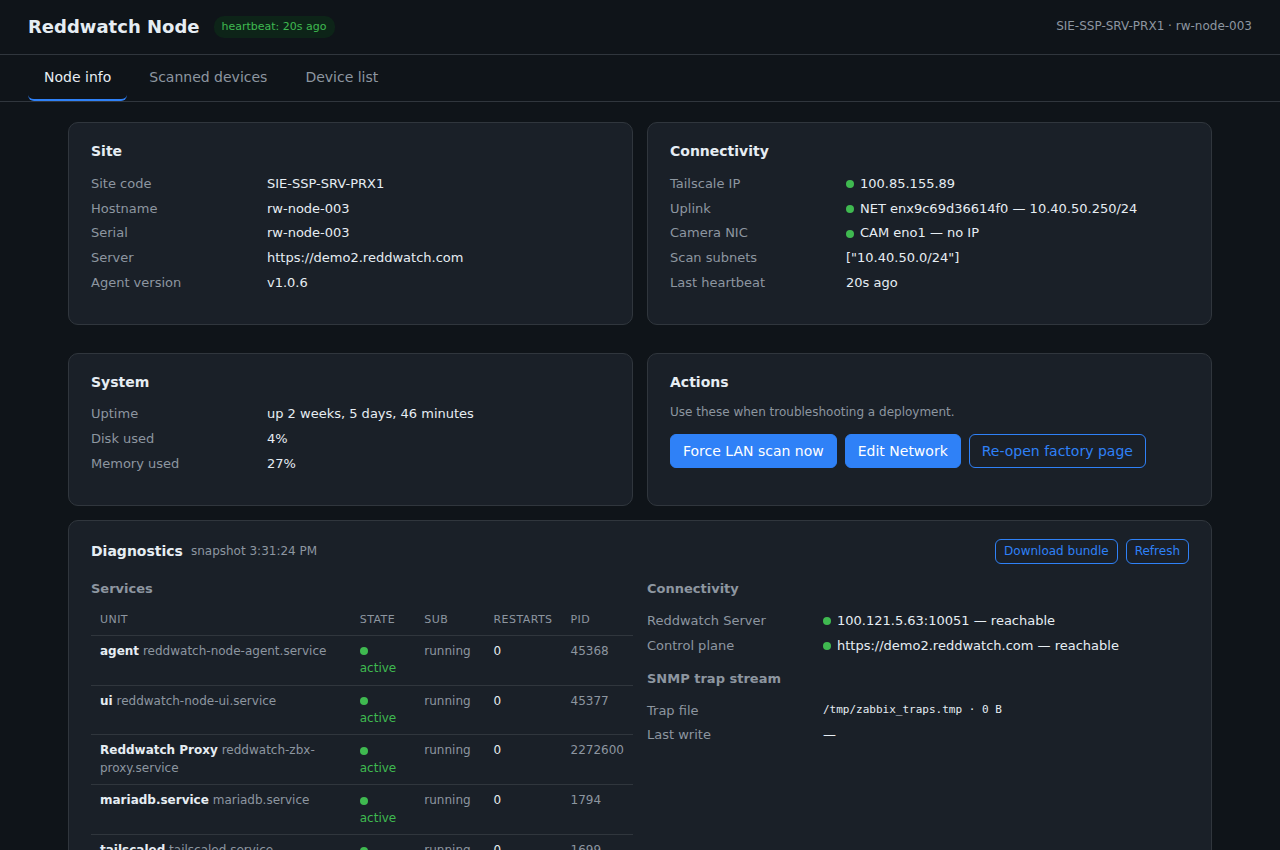 A production node's local dashboard: site identity, connectivity, service
health, and one-click diagnostics.
A production node's local dashboard: site identity, connectivity, service
health, and one-click diagnostics.
What it runs
flowchart TB
    subgraph Node["Reddwatch Node (site appliance)"]
        AGENT["node agent<br/>register · heartbeat · LAN discovery"]
        UI["local web UI<br/>first-boot wizard + diagnostics"]
        PROXY["monitoring proxy<br/>collects locally, ships outbound"]
        FRAMES["frame collector<br/>camera captures on trigger"]
        TRAPS["trap receiver<br/>server hardware telemetry"]
        UPDATER["updater<br/>signed releases, auto-rollback"]
    end
    CAMLAN["Camera / device LAN"] --- PROXY
    CAMLAN --- FRAMES
    AGENT -->|outbound 443| CP["Instance API"]
    PROXY -->|outbound, encrypted overlay| MON["Monitoring plane"]
UPDATER -->|pull| UPD["update.reddwatch.com"]- Agent — registers the node against its site code, heartbeats to the instance, runs scheduled LAN discovery so new devices at the site appear in the portal without manual entry.
- Monitoring proxy — all device polling happens locally; results ship outbound over the encrypted overlay. The site exposes nothing inbound.
- Frame collector — captures a frame from every camera on demand or on the daily schedule and uploads for reference comparison.
- Trap receiver — accepts hardware telemetry (RAID, PSU, fan, temperature) from site servers, including environments where nothing may be installed on the servers themselves.
- Local web UI — the first-boot wizard for installers and a diagnostics page (service health, connectivity checks, downloadable support bundle) for anyone standing in front of the box.
- Updater — converges the node to the published stable release: signed bundles, checksum-verified, health-gated, and automatically rolled back if the new version fails its self-check. OS updates follow a separate, held-back lane so the monitoring stack never changes silently.
Lifecycle
flowchart LR
    F[Factory:<br/>image + preload] --> S[Ship to site]
    S --> W[On-site: wizard<br/>site code + network]
    W --> O[Online: discovered,<br/>monitored, updating]
    O -->|OTA stable releases| O
    O --> D[Decommission:<br/>revoked centrally]
Details: Factory provisioning · On-site provisioning.